
The bank account has existed for years. The feed is connected, the transactions are in the file — and nobody has ever reconciled a single month. Maybe the owner did their own taxes through last year and only needs the current year cleaned. Maybe the books jumped from Desktop to Online and left ghosts behind. Either way, the reconcile screen is blank, the opening balance looks wrong, and the question is always the same: where do I even start?
The answer is not “this month”. It is a short sequence — fix the opening balance, pick a starting point, and clear the backlog in one direction. Here is exactly how to reconcile a bank account that has never been reconciled, in the order that keeps you from rebuilding the same month twice.
Key takeaways
- Fix the opening balance before anything else — a wrong start poisons every month behind it.
- Two ways in: one big catch-up reconciliation to a clean cutoff date (like 31 December), or month by month from the oldest statement.
- Never tick an item that cleared the bank in a later period — it belongs to that later month.
- A leftover difference gets a documented adjustment with a memo, not a silent plug.
- Filed tax returns are a hard boundary: flag the problem, don’t edit history behind your accountant.
How to Reconcile a Bank Account
How to reconcile a bank account that has never been reconciled: fix the opening balance first, then either run one catch-up reconciliation to a clean cutoff date — like 31 December — or work month by month from the oldest statement. Either way, each period must close at zero before the next begins.
Two Ways In: Catch-Up to a Cutoff, or Month by Month
Both routes are legitimate. The choice depends on what the books are for.
The catch-up shortcut: one large reconciliation covering everything before a clean cutoff date — usually 31 December, or the last day of a filed tax year. You tick every transaction up to that date in one pass, adjust any leftover difference with one documented entry, and lock that as your baseline. From the next period forward, everything is normal monthly work. This is the right move when the earlier years are already filed and nobody needs those months restated.
The month-by-month route: the same work, but one statement at a time, oldest first. Slower at the start, and the only option when those earlier months still matter — for a lender, a valuation, or returns that are not filed yet. It also surfaces errors the shortcut can bury: a duplicate from 2018, a deposit recorded twice, a check that never existed.
If your situation is “taxes are done through last year, I just need this year clean” — the cutoff route is yours. If the words “loan” or “due diligence” are anywhere in your future, take the slow road.
How to Reconcile a Bank Account That Was Never Reconciled: 5 Steps
Step 1: Gather the statements and set the target date
Before opening any reconcile screen, collect every bank statement for the period you are about to cover — ending balance and full transaction detail for each one. Then choose your target date: the first day of the period you actually need (the cutoff route), or the very first month the account existed (the month-by-month route). Find the statement that covers that target date; its ending balance is about to become the most important number in this job.
Step 2: Fix the opening balance first
In QuickBooks Online, go to Accounting → Chart of Accounts, find the account, and choose Account history. Scroll to the very first entry — the opening balance. In a never-reconciled account, that entry is normally the only one ticked R. If other rows show an R with no reconciliation history behind them — a classic ghost from a Desktop-to-Online migration — click the tick column until each shows C or blank, then save.
If the opening balance figure itself is wrong, resist the urge to type over it. An opening balance that does not match the statement is a symptom; our guide to opening balance equity explains what it is telling you and how to fix the cause.
Step 3: Run the catch-up reconciliation
Open the reconcile screen — the Gear icon → Reconcile (in newer layouts, Settings → Reconcile). Select the account, and enter the ending balance and ending date from your target statement. Start reconciling, then tick every transaction dated on or before that date.
The one rule people break: do not tick items that cleared the bank later. A check written in December that shows on January’s statement is January’s business. It is an outstanding check in the catch-up — that is correct — and it gets ticked next month.
If a difference remains after ticking everything, that is a real finding, not an annoyance. The clean way: enter one adjustment, dated at the cutoff, for the exact difference — to a reconciliation-discrepancy account, or to Opening Balance Equity with your accountant’s blessing — and write a memo saying what it is and why. The Reddit bookkeepers will tell you the same thing in blunter words: the plug is a last resort, and the memo is what saves you at tax time. When the difference hits zero, select Finish. That locks the baseline.
Step 4: Continue month by month
From here, the routine is the normal monthly job: ending balance and date from the next statement, tick what matches, list the timing items, close at zero. Deposits, withdrawals, service charges, interest — every line earns its tick against evidence.
One question decides your consistency: do you reconcile to the bank’s statement date (the 26th, say) or to calendar month end? Statement dates keep the software’s opening balances honest; month-end keeps your financial statements and tax periods aligned. Both defensible — pick one and never switch midstream. If you choose month-end while statements cut off on the 26th, expect outstanding items and deposits in transit across the cutoff, and handle them the standard way. A fuller treatment of the monthly mechanics is in our manual bank reconciliation guide.
Step 5: Lock the baseline and install the habit
Stale items from the backlog deserve one pass: a check outstanding six months or more is either lost or never cashed — contact the payee, then void or reissue it. Do not delete it quietly. Then set the habit that prevents a second backlog: ten minutes weekly, or the full routine monthly. Accounts do not fall behind because reconciliation is hard; they fall behind because it felt like a big task. Weekly, it is not.
Example: 22 Months, Cleared in Order
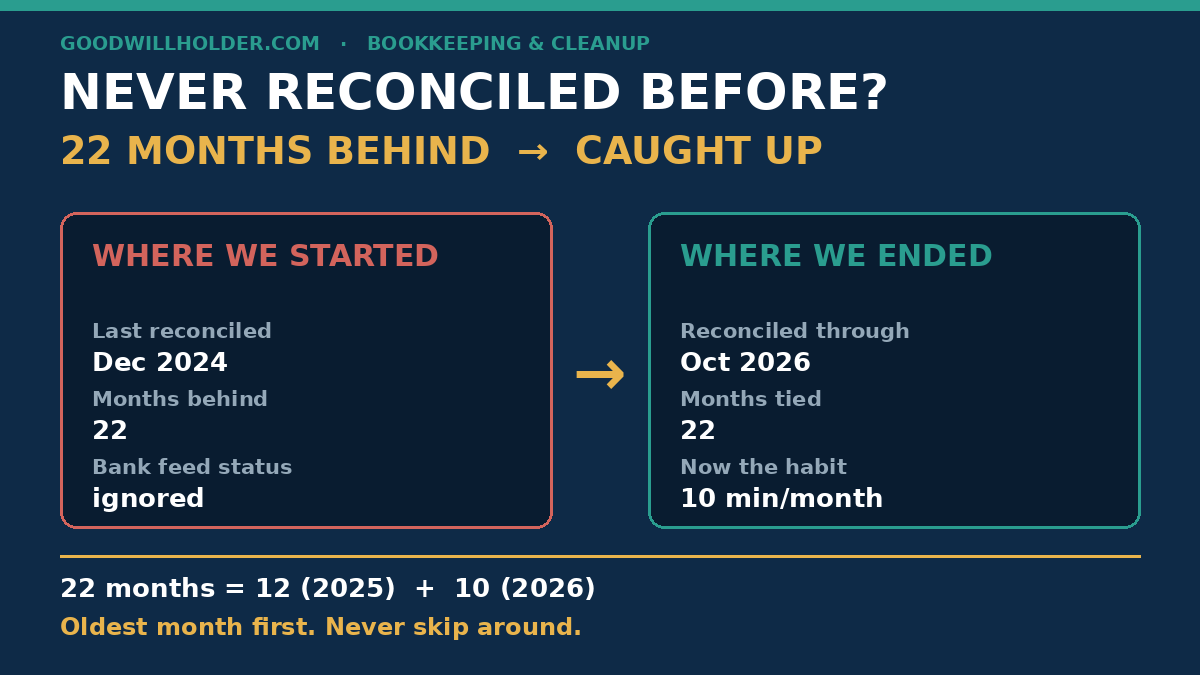
Lakeview Bakery’s business account — a composite of real backlogs. The owner last reconciled in December 2024. It is now October 2026: 22 months of statements, which is simply 12 months of 2025 plus 10 months of 2026.
The account was already linked in the software, and the opening balance entry sat there looking wrong — books showed $1,180 where the first statement of the period opened at $1,250. That $70 difference was not typed away: one dated adjustment, one memo explaining the migration gap, and the chain was ready to start.
Then January 2025 — the oldest month — not October 2026, the most urgent one. The first month was the slowest; by mid-year the rhythm was mechanical. Two stale checks surfaced (one reissued, one voided), one deposit from summer 2025 turned out to be a customer payment recorded twice, and the owner’s personal card spending moved to Owner’s Draw. October 2026 tied at zero.
12 + 10 = 22. The pile was never one giant problem. It was twenty-two small ones, and they only clear in one direction.
Frequently Asked Questions
What are the 5 steps to reconcile your account?
Gather the statements and set a target date. Fix the opening balance. Run the catch-up reconciliation to that cutoff — or start with the oldest month. Clear remaining differences with documented adjustments. Lock the period, then continue month by month until every cycle closes at zero.
What are the most common mistakes made during bank reconciliation?
Plugging the difference to force zero. Starting with the newest month instead of the oldest. Ticking items that cleared the bank in a later period. Silently editing transactions that were already reconciled. And skipping lines you cannot identify — every mystery item is either a missing entry or a wrong one.
How can I automatically reconcile my bank statements?
Bank feeds and matching tools can tick most routine lines automatically — same amount, same date, same payee. What they cannot judge is timing items, duplicates, and errors. Automate the matching if you like; the review and the sign-off stay human, or the automation will confidently reconcile you into a wall.
Can ChatGPT do bank reconciliation?
It can help you think — draft an explanation, spot duplicates in a pasted list, sanity-check arithmetic. But the matching decisions, the supporting evidence, and the sign-off stay with you, and client-confidential figures do not belong in a public AI chat. Use it as a second pair of eyes, never as the bookkeeper.
If the Backlog Feels Too Big to Start
Twenty-two months of statements on a Monday morning is a lot of Mondays. I clean exactly this kind of pile for small service businesses in the US and UK — exported files, fixed scope, fixed price — and leave you with a locked baseline and a habit that holds. If that would help, get in touch.