
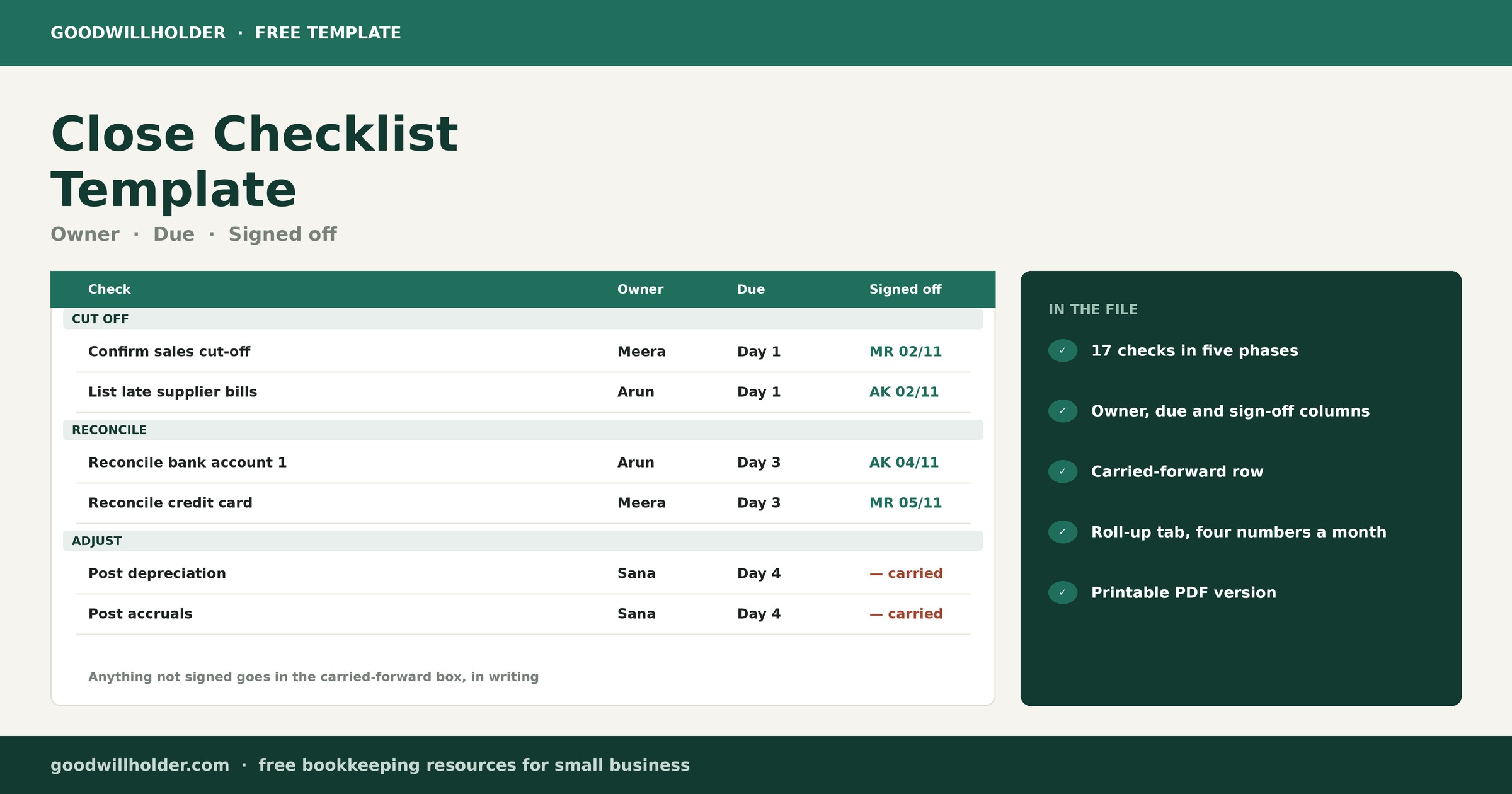
A close checklist template is the sheet your team actually ticks, not the article explaining why closing matters. It needs three columns of names and dates, one row per check, and a place to write who signed off. This guide builds that sheet and gives you the printable and spreadsheet versions.
If you are still deciding what a close should contain, read the month end close checklist first. This page assumes you know the checks and need a file to run them in.
Download: close checklist template (.xlsx) · printable close checklist (PDF)
Why a Checklist Fails Without Sign-Off Columns
Most close checklists are a list of tasks with an empty box. By month three, nobody remembers who was supposed to reconcile the card account, and the box stays empty without anyone noticing.
Add three columns and the same list starts working: Owner, Due and Signed off. A name in a cell cannot be forgotten as easily as a task in a paragraph.
- Owner — one person per row, never a team name.
- Due — a day number, not a date, so the template survives every month.
- Signed off — initials and the date it was actually done.
That is the whole trick. The list of checks matters less than who has to put their initials against each one.
The Five Steps to Set It Up
- Copy last month's close and delete anything that was not done. A template that carries checks nobody performs trains people to ignore the list.
- Put a name in every Owner cell before the month starts. If you cannot name someone, that check does not exist yet.
- Number the Due column by working day, not calendar date. Day 3 is the third working day, so a weekend cannot make the whole close late.
- Group the rows into the five phases — cut off, record, reconcile, adjust, review — so a reader can see progress at a glance rather than counting ticks.
- Add one row at the bottom called "carried forward". Whatever was not signed off goes there, in writing, before the next month starts.
Step five is the one people skip, and it is the only reason a close gets better instead of repeating the same three overdue items every month.
The Close Checklist Template Layout
Six columns carry the whole close checklist template, grouped into five phase blocks. This is the sheet, not a description of one.
Columns in the close checklist template
| Column | Header | What goes in it |
|---|---|---|
| A | Phase | Cut off, Record, Reconcile, Adjust, Review |
| B | Check | One action, phrased so it can be ticked |
| C | Owner | One person's name |
| D | Due | Working day number within the close |
| E | Signed off | Initials and the date actually completed |
| F | Note | What blocked it, if anything did |
Columns A to F in the close checklist template stay fixed. The month name in the tab, not in a column, so the layout never changes and formulas never need rewriting.
What Goes in Each Phase
Seventeen checks across five phases is the working size for a small business. Below that you lose real work; above it, rows get ticked without being done.
The five phases and what belongs in each
| Phase | Checks | What belongs there |
|---|---|---|
| Cut off | 3 | Confirm the period boundary: late invoices, supplier bills on the desk, anything dated in the wrong month |
| Record | 3 | Enter everything left over: sales, bills, expenses, bank charges already showing on the statement |
| Reconcile | 5 | Each bank account, each card, receivables against invoices, payables against supplier statements |
| Adjust | 3 | Accruals, prepayments, depreciation, stock if you hold any |
| Review | 3 | P&L against budget, balance sheet against expectations, then lock the period |
Notice that only the Adjust phase needs judgement. The other four are work that either happened or did not, which is why they can be ticked by anyone with the access.
Why cut-off gets its own phase
Cut-off errors are the most expensive and the least visible. A supplier bill dated the 29th but entered on the 2nd changes two months of profit by the same amount, and neither month looks obviously wrong.
Three checks catch nearly all of it: the sales cut-off, the purchase cut-off and one deliberate look at the invoices that arrived late.
Why the review phase only has three rows
Review is not a re-do. If the four phases before it were signed off, review is reading two reports and deciding whether they make sense. If it turns into a hunt, one of the earlier rows was signed without being done, and the carried-forward row is where that shows up.
A Filled Example: One Close, Five Phases
A five-person agency closing October. Read the Due column as working days after month end.
October close, as it looked on the template
| Check | Owner | Due | Signed off |
|---|---|---|---|
| Confirm no invoices issued after cut-off | Meera | Day 1 | MR 02/11 |
| Enter supplier bills received in the month | Arun | Day 2 | AK 03/11 |
| Reconcile the two bank accounts | Arun | Day 3 | AK 04/11 |
| Reconcile the credit card account | Meera | Day 3 | MR 05/11 |
| Post accrued electricity and rent | Sana | Day 4 | — carried |
| Post depreciation for the month | Sana | Day 4 | — carried |
| Review the P&L against budget | Owner | Day 5 | HR 06/11 |
Two rows were not signed off. On a list with no owner column, those two would have disappeared quietly. Here they are visible, named, and they roll into the bottom row as carried forward.
That is the difference between a close checklist and a close checklist template. One describes the work; the other makes the gaps impossible to hide.
Running the Close Checklist Template Month After Month
A template earns its keep in month three, not month one. Three habits keep it alive.
- Copy the tab, never the file. One workbook, one tab per month, so last month's sign-offs stay available at audit.
- Reset the Signed off column only. Everything else — checks, owners, due days — carries forward unchanged unless someone deliberately changes it.
- Review the carried-forward row at the start of the next close. Two months in a row on the same row means the check is wrong, not the person.
The printable PDF version exists for one situation: a close run by people who will not open a spreadsheet. Print it, hand it over, ask for initials. That is not old-fashioned; it is the same six columns on paper.
Capturing receipts before they go missing
The record phase fails for one reason more than any other: the receipt never reached the file. Missing receipts turn a clean close into a set of estimates, and estimates are what an accountant queries in March.
A receipt scanner closes that gap at source. We use SparkReceipt for this: it scans a receipt photo, pulls out the date, supplier and total, and pushes the result to QuickBooks Online, Xero, Zoho Books or FreeAgent. The point is not the scanning, it is that the expense lands in the books the same week it happens rather than three weeks after the close.
If you would rather not add a tool, the fallback is a dated envelope and a rule that nothing gets filed without a receipt. It works, as long as somebody owns the envelope.
Where the Numbers Come From
The template records that a check was done. It does not tell you whether the figure was right. Three of the checks need a separate tool or article behind them.
- Reconciliation. The bank reconciliation difference checker finds the gap before you sign the row.
- Depreciation. The charge comes from a schedule, not from memory. Use the depreciation schedule template.
- Trial balance. The final review row depends on a balanced trial balance. The trial balance guide covers what it does and does not prove.
If the check itself is unclear, or the books are behind, start with the bookkeeping cleanup guide rather than adding more rows to a close that is already failing.
Common Mistakes With a Close Template
- Too many rows. A 60-check template in a five-person business gets abandoned in week two. Start with twelve.
- Team names in the Owner column. "Finance" does it; nobody does it.
- Calendar dates instead of working days. The template breaks in any month that starts on a weekend.
- No carried-forward row. Overdue items vanish and the next close starts blind.
- A new file every month. Six files, six versions, one auditor question you cannot answer.
A Roll-Up Your Accountant Will Actually Read
One extra tab turns the close checklist template into something you can hand over: a single row per month, with the counts. It takes four formulas and answers the question an accountant asks first, which is whether this month was better or worse than the last.
- Checks total — how many rows were live this month.
- Signed off — how many of those carry initials.
- Carried forward — the number that did not.
- Days to close — the working day on which the last row was signed.
Four numbers per month, twelve rows a year. If days-to-close is rising while carried-forward stays at zero, the list is quietly shedding hard checks. If carried-forward is rising while days-to-close falls, people are signing rows to hit a date.
Either pattern is visible in ten seconds on the roll-up and invisible in the detail tabs, which is the reason to keep it.
What to Fix Before You Add Another Checklist
The most common request after a failed close is a longer checklist. That is almost never the fix.
Three symptoms and what they actually mean: a close that slips every month means one phase has no owner. A close where the same three rows are carried forward means the checks are impossible with the current access or software. A close nobody signs means the template is being used as a reminder list, not a sign-off record.
Fix the owner, the access or the sign-off habit before you add a single row. A close checklist template with twelve rows that are signed beats one with forty that are not.
Frequently Asked Questions
Should the close checklist be a spreadsheet or paper?
Spreadsheet if two or more people touch it, paper if one person runs the whole close and will not open a file. Both versions should carry the same six columns so the record looks the same either way.
How many checks should a small business template have?
Twelve to seventeen is the useful range. Below twelve, real work is missing. Above twenty, rows start being ticked without being done.
Who signs off the final row?
The owner or the person accountable for the accounts, not the person who did the work. The last row is a review, and reviewing your own work defeats the purpose of the column.
Can one template cover month end and year end?
Not well. A year-end close adds stock counts, accrual reversals and statutory work that do not belong in a monthly routine. Keep two tabs and share one owner.
What if a check is not applicable this month?
Write "N/A" in the Signed off column with initials. An empty cell and a deliberate N/A look identical to an auditor until one of them is signed.
Sources and Editorial Note
The close checklist template and the worked example were built on 23 November 2026. Names, figures and dates in the October close are illustrative and not a real client file. The 180-day and depreciation references in the linked guide follow the current Income-tax Act schedule as published on the Income Tax Department portal; confirm rates for your own assessment year with your accountant.Record retention rules differ by country; the IRS recordkeeping guidance and the Companies House guidance on running a limited company are the two to check before you decide how long to keep a signed close.
Nothing here is accounting, tax or legal advice. A close checklist records that work was done; it does not make the work correct.