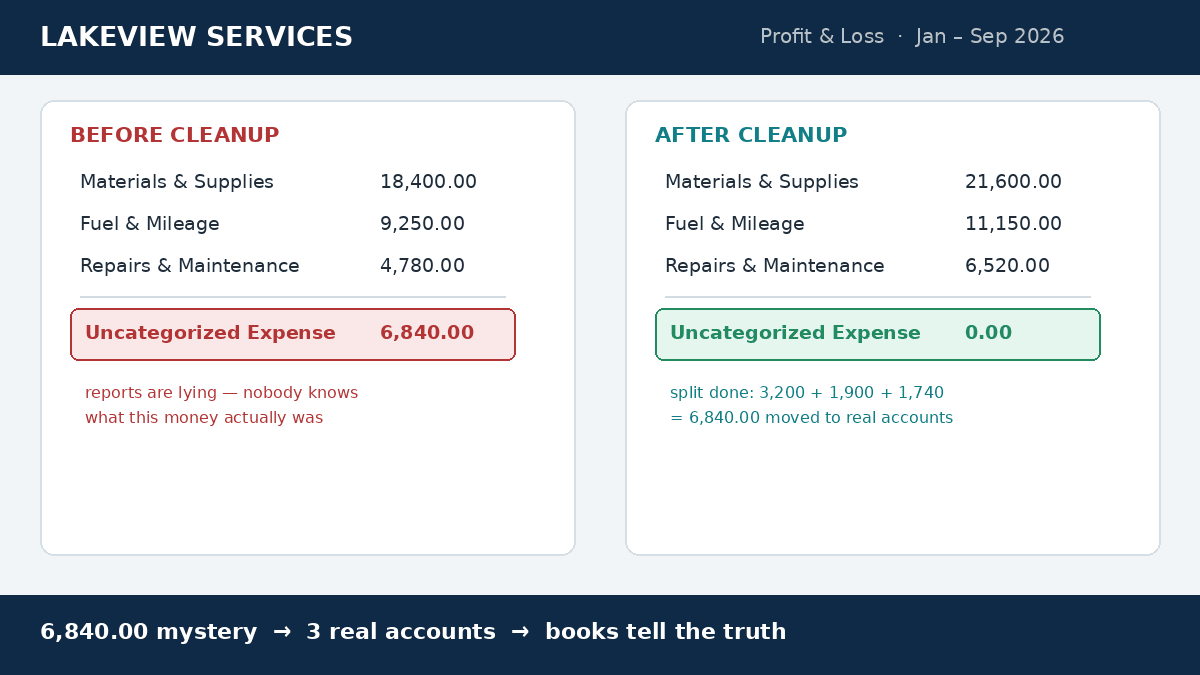
Lakeview Bakery’s $6,840 uncategorized pile, split into three real categories.
You close the month and open the profit and loss. Revenue looks fine. Then one line stops you: Uncategorized Expense — $6,840. It is bigger than your software bills, your fuel, and your insurance combined, and nobody on your team can say what is inside it.That line is not missing money. It is real spending that the bookkeeping software gave up sorting. This guide shows how to clear an uncategorized expense pile step by step, using a real $6,840 example, in both QuickBooks Online and Xero.Key takeaways
An uncategorized expense is a transaction parked in a default holding account because no rule, no category, and no receipt ever matched it.
Clear it biggest-transactions-first — the top five items are usually most of the money.
Owner draws hiding in the pile are the most expensive find: they are not expenses at all.
A $6,840 pile split cleanly into software $3,200, fuel $1,900, and owner draws $1,740 in one sitting.
One bank-feed rule plus a ten-minute monthly habit stops the account from ever growing again.
An uncategorized expense is any transaction your software parked in a default holding account because it had no rule, no category, and no receipt match. The money is real and recorded — it is invisible inside your reports. Until you clear it, your profit and loss is a guess, not a number.
How to Clear an Uncategorized Expense Account in 5 Steps
Work the list, not the total. In every file I clean, the same order works — and it is the order that keeps you from breaking a reconciliation you already finished.
Step 1: Pull the transaction list, not the balance
In QuickBooks Online, open Transactions → Chart of accounts, find Uncategorized Expense, and click View register. In Xero, run the Account Transactions report for the default uncategorized account. Either way, you want every line — date, description, amount — not one scary total.
Step 2: Sort biggest first
Amount, descending. The five largest items are usually two-thirds of the money. Clearing a $2,400 line beats ten minutes spent on twelve $9 subscriptions. This one habit is how a $6,840 pile becomes a one-sitting job.
Step 3: Match each line to its evidence, then recategorize
Open the receipt, bank line, or email confirmation. In QuickBooks, open the transaction and change the Category dropdown to the correct expense account. In Xero, use Manage Account to change the account code on the transaction. If the line is a transfer or a duplicate, fix that instead of forcing a category on it.
Step 4: Split the mixed transactions
The painful ones: a $2,100 card statement paid as a single transaction, or an owner who paid a supplier from personal funds. Split the line in the register — the business part goes to a real expense account, the personal part goes to Owner’s Draw or Drawings. Owner money is not an expense. If that same owner funded the business at some point, that money belongs in capital — see our guide to opening balance equity — not in this pile.
Step 5: Install the rule that prevents the next pile
Every line you just categorized by hand taught you a pattern. Turn it into a bank-feed rule: vendor name → category. Then book one ten-minute slot every month to clear anything new. A pile like this only grows in the dark. A simple invoice log kept beside the books gives every payment a home before it ever hits the feed.
Example: How Lakeview Bakery Cleared $6,840
Lakeview Bakery, a composite of real cleanup files, had one month where $6,840 landed in Uncategorized Expense. Nothing was missing — it was three different stories mixed into one account:
Software — $3,200. Annual subscriptions billed to the card in a single week: bakery POS add-on, payroll app, design tool. Recategorized to Software & subscriptions.
Fuel — $1,900. A delivery van card with no feed rule — twelve fills across the month. Recategorized to Vehicle & fuel.
Owner draws — $1,740. Personal groceries and a home internet bill on the business card. Moved to Owner’s Draw — these never belonged on the profit and loss.
The math: $3,200 + $1,900 + $1,740 = $6,840. Every dollar is accounted for, and each one now sits where a report can use it. After the split, the software cost became a subscription decision instead of a mystery, the fuel lined up with delivery days, and the owner finally saw why the business looked less profitable than it felt. If unpaid customer balances made the same month confusing, the pending payments tracker covers the other half of that picture.
Frequently Asked Questions
How do I recategorize an uncategorized expense in QuickBooks Online?
Open Transactions → Chart of accounts, select View register on the Uncategorized Expense account, and open the transaction. Change the Category dropdown to the correct expense account and save. If it was a personal purchase, split the line and send the personal part to Owner’s Draw.
What is the uncategorized expense account in Xero?
Xero routes unmatched spend to a default account code in your chart of accounts. Run the Account Transactions report on that code, then use Manage Account to change the account code on each transaction. Better still, add a bank rule for the vendor so future lines reconcile automatically.
What happens if I leave expenses uncategorized?
Your profit and loss reports wrong spending categories, your net income cannot be trusted, and tax time becomes a scramble for receipts. Lenders and accountants read those reports too — a $6,840 mystery line is the fastest way to lose their confidence in the numbers.
Are uncategorized expenses tax deductible?
The category — not the holding account — decides deductibility. A software subscription you never classified may be fully deductible, while an owner’s grocery run is not deductible at all. Keep the receipt, sort the line to its real category, and let your accountant handle the tax position.
If You Would Rather Not Do It Yourself
Clearing a pile like this took Lakeview Bakery one afternoon. For most owners, the pile stays because there is never an afternoon to spare. I clean messy money files for small service businesses in the US and UK — exported files, fixed scope, fixed price. Your books come back with every line in a real category, plus a simple habit that keeps it that way. If that sounds useful, get in touch.