
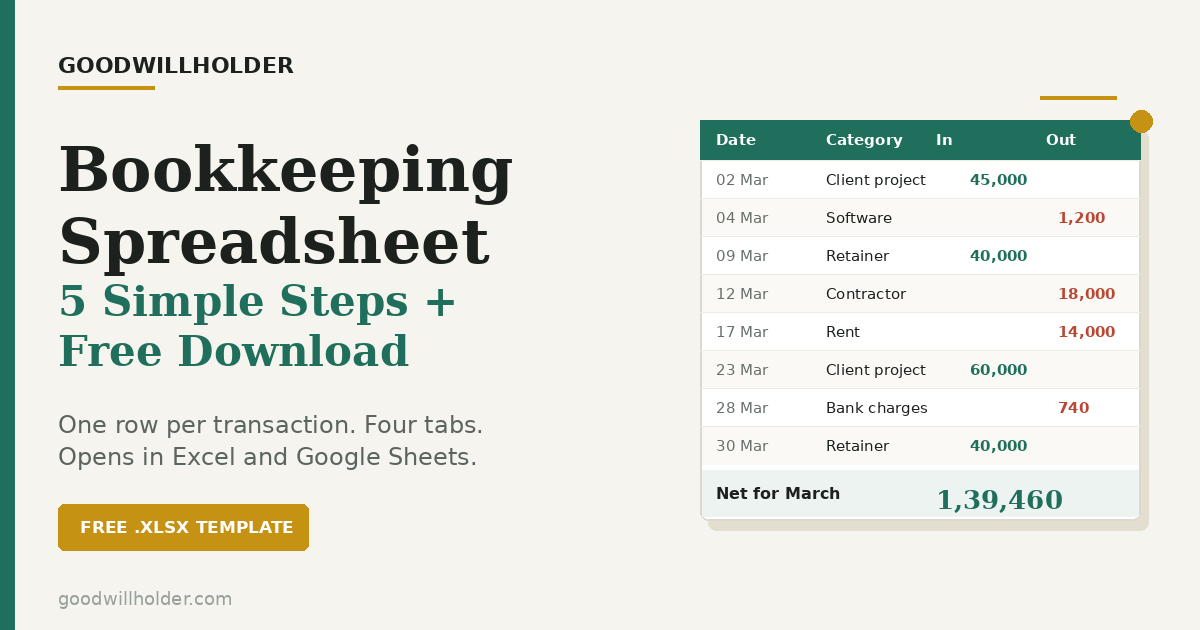
A bookkeeping spreadsheet is still the fastest way for a small business to see where the money went. You do not need to learn accounting software on day one.
You need one sheet, one row per transaction, and a habit of filling it in weekly. This guide builds that sheet from scratch in five steps, and gives you the finished file to download at the end.
Why a Bookkeeping Spreadsheet Still Works
Most small businesses do not fail because they chose the wrong software. They fail because the books stop being updated for six weeks and nobody notices until a tax deadline. A spreadsheet wins on one point above everything else: a bookkeeping spreadsheet never asks you to log in, and it never changes underneath you.
Three situations where a spreadsheet is genuinely the better tool:
- Under about 200 transactions a month. At that volume, categorising rows by hand takes under an hour a month. Software adds setup time you will never earn back.
- You are not ready to commit. A year of bookkeeping in a sheet costs nothing. A year of the wrong software costs money, migration pain, and re-entered data.
- Your accountant for your current setup. A clean sheet exports to CSV, and every accountant can read a CSV.
What a spreadsheet cannot do: it will not pull bank feeds, it will not remind a client to pay, and it will not stop you typing the wrong sign on a refund. Those are the reasons to move to software later, not reasons to avoid starting now.
What a Good Bookkeeping Spreadsheet Contains
Every working bookkeeping spreadsheet has the same four parts, whatever it looks like on screen. If one of these is missing, the bookkeeping spreadsheet will break within three months.
- A settings list. Your income categories, expense categories, payment methods and tax rates live in one place, so you change them once and every dropdown updates.
- One transactions table. One row per transaction, never two rows for one payment. This is the single rule that keeps the bookkeeping spreadsheet usable.
- Calculated columns. Tax, month and type (income or expense) are filled by formula, not by hand.
- A summary view. Totals by month and by category, so you can read the answer without scrolling through 500 rows.
The four parts and what each one prevents
| Part | What it holds | What breaks without it |
|---|---|---|
| Settings | Categories, payment methods, tax rates | You retype categories and create spelling variants |
| Transactions | One row per transaction | Two people record the same payment twice |
| Calculated columns | Tax, Month, Type via formula | Totals disagree with the rows above them |
| Dashboard | Monthly and category totals | You cannot answer “how was last month?” |
The 5 Simple Steps
- Set your categories first. List income categories and expense categories before you record a single transaction. Reading them back later is what makes totals useful; a sheet with 60 categories answers nothing.
- Open one transaction sheet and freeze the header row. Add these columns: Date, Description, Category, Money In, Money Out, Payment Method, Tax, Month and Type. Freeze the top row so you always know which column is which.
- Record one row per transaction in your bookkeeping spreadsheet, from the bank statement. Not from the receipt, not from memory. Work down the statement in date order so no line is skipped.
- Let formulas do the arithmetic. Tax is the amount multiplied by the rate in Settings. Month is the date turned into a month name. Type is money in or money out, decided by which column you filled.
- Reconcile against the bank at the end of every month. Compare your bookkeeping spreadsheet total to the closing bank balance. If they differ, the difference is the list of what you have missed. Fix it before the next month starts.
Notice what is not in those five steps: no journal entries, no debits and credits, and no trial balance. A cash-basis sheet records what actually moved. If your accountant needs the full double-entry version, that is a later conversation, and the double-entry walkthrough covers it properly.
One thing a cash-basis sheet never shows is depreciation, because no money moves when an asset wears out. If you need that charge in your accounts, the depreciation schedule template builds it with a part-year calculation and free Excel and Sheets files.
A Worked Example: One Month in a Design Studio
A two-person design studio with 46 transactions in March. Here is what the month looks like once the five steps are done.
March totals for a two-person design studio
| Category | Type | March total |
|---|---|---|
| Client projects | Income | ₹185,000 |
| Retainer — one client | Income | ₹40,000 |
| Software subscriptions | Expense | ₹4,800 |
| Contractor payments | Expense | ₹52,000 |
| Rent and utilities | Expense | ₹28,000 |
| Bank charges | Expense | ₹740 |
| Net for March | ₹139,460 |
The value is not the net figure. It is that the net figure took four seconds to read, and the contractor line is visibly the second largest cost in the business. A sheet that answers that question is doing its job.
Spreadsheet or Software: Which Fits Whom
Whether your bookkeeping spreadsheet has reached its limit
| Your situation | Use | Why |
|---|---|---|
| Under 200 transactions a month, no staff | Spreadsheet | Setup cost is zero and categorising is quick |
| More than 400 transactions a month | Accounting software | Manual categorisation stops being worth it |
| You invoice and chase payment | Software | Recurring invoices and reminders save real hours |
| GST/VAT registered with regular filing | Software | Reports are built and reconciled for you |
| Barely started, books in a mess | Spreadsheet first | Clean the mess, then migrate once, not twice |
The guide to choosing small business accounting software takes this further if you are on the fence, and the service-business software checklist scores the eight features that matter when most of your income is billed by the hour or the project.
7 Mistakes That Break a Bookkeeping Spreadsheet
- Typing categories instead of choosing them. “Software”, “software” and “Software ” become three categories. Use a dropdown.
- Two rows for one transaction. A payment split across two lines breaks every total. Split it inside one row or in a separate split column.
- Filling the same total into Money In and Money Out. One row is one direction. If both are filled, the row is wrong.
- Deleting rows to fix a mistake. Delete the whole transaction and re-enter it. Half-deleted rows are the hardest errors to trace.
- Adding categories mid-year. Every new category splits history. Agree the list, then keep it for twelve months.
- No backup. A spreadsheet is a single file. One corrupted save is a year of work. Keep a dated copy monthly.
- Reconciling at year end only. Twelve months of unmatched items is a week of work. One month of unmatched items is an hour.
How This Bookkeeping Spreadsheet Is Built
This bookkeeping spreadsheet is a four-tab workbook, not a blank grid with a formula or two. Everything here is standard Excel and Google Sheets functionality, so it opens in either, with no add-ons and no macros.
- Start Here. Five steps, a map of the tabs, and five rules to keep the file working.
- Settings. Income categories, expense categories, payment methods and tax rates. Change these and the dropdowns follow.
- Transactions. 500 rows with dropdowns, automatic Tax, Month and Type columns, and a red flag when both Money In and Money Out are filled on the same row.
- Dashboard. A twelve-month summary, running cash position, five key figures, and totals by category.
It uses only SUMIF, SUM, IFERROR and TEXT. Nothing exotic, so you can open any cell and see exactly what it does, then change it without breaking the rest of the file. The chart of accounts guide explains where the category names should come from, and the expense categories list is a ready-made starting point for the Settings tab.
Download the free bookkeeping spreadsheet (.xlsx)
Right-click and choose “Save link as” if your browser opens the file instead of downloading it. bookkeeping-spreadsheet-template.xlsx — 36 KB, four tabs, opens in Excel and Google Sheets.
Keeping It Accurate After Month Three
The first month is easy because everything is new. Month four is where bookkeeping spreadsheets die. Three habits keep this one alive.
- Fifteen minutes every Friday. Enter the week while it is recent. A month of transactions entered in one sitting always contains an error.
- A dated copy on the first of each month. Save or copy the file as “books 2026-03” before you touch it. When something breaks, you lose a week, not a year.
- One reconciliation note per month. Write the bank closing balance and your sheet closing balance side by side. When they disagree, you will know which month it started in.
When the sheet starts feeling slow, or when you are categorising more than 20 transactions a week, that is the signal to look at software, not the signal that the sheet failed. Running a clean bookkeeping spreadsheet for a year is a better starting position than running messy software for a year.
Frequently Asked Questions
Is a bookkeeping spreadsheet good enough for tax filing?
For a sole trader with simple income and expenses, a maintained spreadsheet is usually enough, provided you keep the supporting receipts and bank statements. If you are a limited company, or you file regular GST/VAT returns, most accountants will ask for accounting software output. Check with your accountant before your first filing.
Can I open this bookkeeping spreadsheet in Google Sheets?
Yes. Upload the file to Google Drive, then open it with Google Sheets. Dropdowns, SUMIF and IFERROR all carry over. The only thing that may need re-checking is the data validation range if you add categories.
How many rows should a bookkeeping spreadsheet have?
This template ships with 500. That is roughly two years for a business doing 20 transactions a month. If you fill 500 rows in one year, you have outgrown a spreadsheet and should be looking at software.
Should I record money in and money out in the same row?
No. One row is one transaction in one direction. A refund and its original payment are two rows. Mixing both directions on one row makes every total unreliable, which is why the template flags it in red.
Do I need to know debit and credit to use this?
No. This is a cash-basis sheet, so it records what moved in and out of the bank. If you want to understand the double-entry version, read the debit and credit rules separately — but you do not need them to keep this file accurate.
What is the difference between this and the GL in software?
A spreadsheet records the transaction and totals it. A general ledger records every posting to every account, which is what produces a trial balance. The general ledger walkthrough shows the difference in practice.
Sources and Editorial Note
This guide reflects standard small business bookkeeping practice. The record-keeping expectations referenced are from the IRS recordkeeping guidance and the UK company and accounting records guidance. Tax rules differ by country and change; confirm your own filing requirements with a qualified accountant.
The bookkeeping spreadsheet linked on this page is free, requires no sign-up, and no data leaves your device. This page contains no affiliate links. Where a commercial product is named, it is named for comparison only. Written and maintained by the Goodwillholder editorial team. Last reviewed November 2026.