
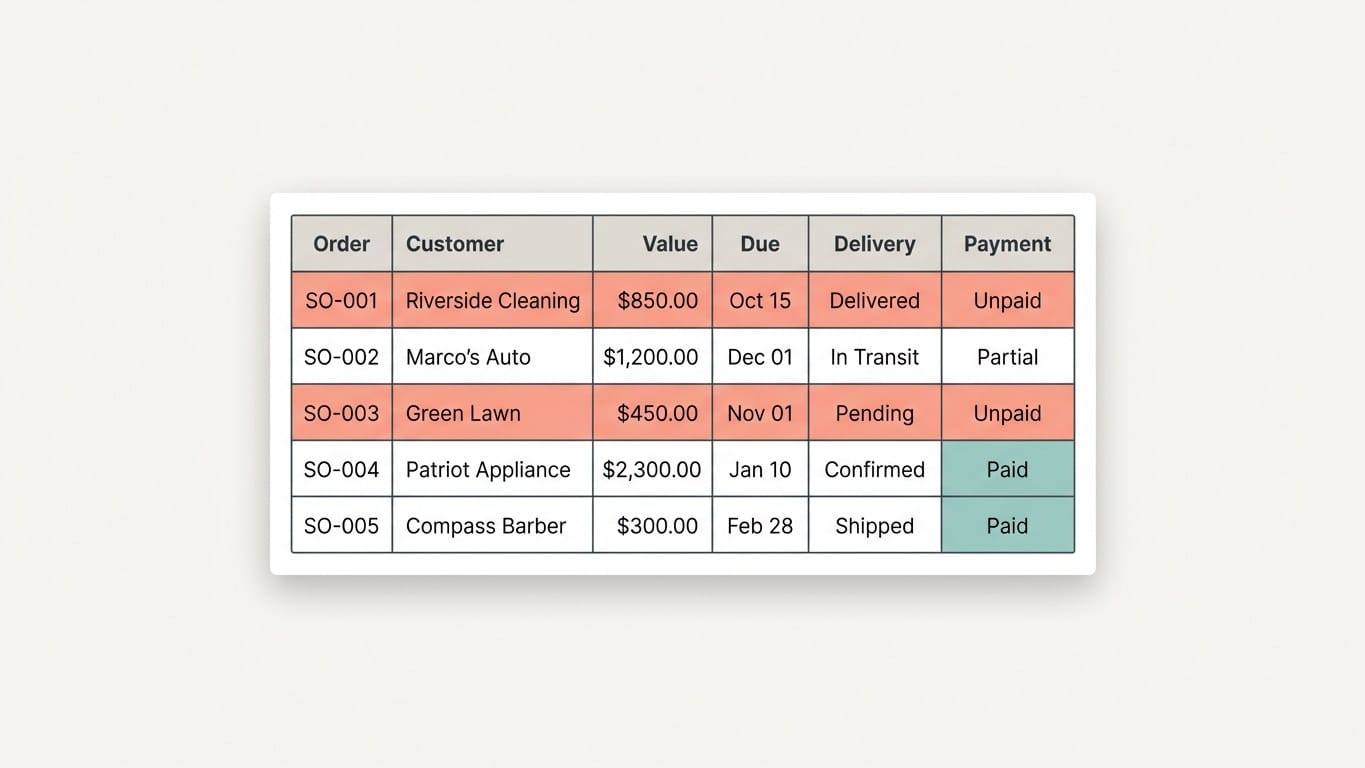
A sales order tracker Google Sheets file is not a ledger and it is not an inventory. It answers one question well: for every order I accepted, where is it — delivered or not, paid or not, and what did I promise when. Build that and most of the panicking stops. Skip it and the same three phone calls repeat every week.
Most traders do not lose orders. They lose the knowledge of where an order stands: half in a notebook, half in a WhatsApp thread, the rest in whoever answered the phone last. This is the file I actually keep running — nine columns, three formulas, one colour rule, and a ten-minute weekly check that decides whether you are still using it in ninety days. It is the orders-and-payments system from the tracking-systems guide, at full build detail.
What a sales order tracker Google Sheets file has to answer
Four questions. Answer them and the file works; anything else is decoration that costs you maintenance.
- What is open? Promised but not delivered, or delivered but not paid.
- Who owes what? Pending per customer, in one filter, in ten seconds.
- What did I promise, and when? Dates that have passed should be visible, not remembered.
- How did this month go? Value taken, value delivered, value still pending.
The sales order tracker Google Sheets layout, column by column
Header in row 1, data from row 2, one row per order — never one row per item. Copy the nine columns exactly; the letters matter because the formulas use them.
| Col | Name | What goes in it |
|---|---|---|
| A | Order no. | Text, sequential: SO-001, SO-002. It becomes the reference you quote in messages and on the challan, which is why it is column A and not a note. |
| B | Order date | Date format. Drives the monthly totals. |
| C | Customer | Exactly the name you use in your lead and customer list. Two spellings of one customer means two pending balances. |
| D | Order value | One number per order. Line items go on a second tab only if a customer argues item by item. |
| E | Received so far | A number, 0 when nothing has come. Each part-payment is added here, never replaced. |
| F | Promised delivery date | Date format. The whole point of the file. |
| G | Delivery status | Dropdown, four options: Open, Part, Delivered, Cancelled. |
| H | Pending amount | Formula, never typed. |
| I | Payment status | Formula, never typed. |
Make G a dropdown instead of a typed word: select G2:G200, then Insert → Dropdown → Add a list of items (the older route, Data → Data validation, opens the same panel), four values, one per line.
There is deliberately no Remarks / Notes / Misc column. A file that has one starts putting its truth in there, and after six weeks the pending balance lives in a comment nobody filters on.
Three formulas and one colour rule that run the tracker
1. Pending amount — H2, dragged down:
=IF($A2="","",$D2-$E2)
Order value minus what has actually arrived. The IF($A2="" part keeps empty future rows clean, so drag it two hundred rows down once and never touch it again.
2. Payment status — I2, dragged down:
=IF($A2="","",IF($H2<=0,"Paid",IF($E2>0,"Part","Unpaid")))
A formula and not a dropdown, on purpose. Payment status is a fact about other cells; type it as well and you have two places to update and therefore one place to be wrong.
3. This month, three numbers — on a second tab named Month, labels in A1:A3 and these in B1:B3. One pattern, used three times:
=SUMIFS(Orders!$D:$D,Orders!$B:$B,">="&DATE(YEAR(TODAY()),MONTH(TODAY()),1),Orders!$B:$B,"<"&EOMONTH(TODAY(),0)+1)
- Orders taken this month — the line above as written.
- Value delivered this month — same line, with
,Orders!$G:$G,"Delivered"before the closing bracket. - Still pending from this month — same line, with
Orders!$D:$Dreplaced byOrders!$H:$H.
Three numbers, one look, no month column and no helper tab. ARRAYFORMULA also does this, but it is Sheets-only syntax, which makes the file uncopyable into Excel — the only reason I skip it.
The colour rule. Select A2:I200, then Format → Conditional formatting → Custom formula is, and paste:
=AND($A2<>"",$F2<TODAY(),$G2<>"Delivered",$G2<>"Cancelled")
Fill with one pale red and colour nothing else. It means: a promise date has passed and the goods are still with me. In Excel the same rule sits under Home → Conditional Formatting → New Rule → Use a formula to determine which cells to format; Microsoft documents how AND behaves inside a formatting rule.
Worked example, so the logic is visible
SO-042: ordered 11 September, value 18,500, received 6,000, promised 15 September, delivery status Open.
- H returns 12,500 — still pending.
- I returns Part, since something arrived but not all of it.
- On 16 September the row is painted: promised the 15th, not Delivered.
- You deliver on the 18th and set G to Delivered. The red clears. H and I do not move — 12,500 is still pending.
That last line is the whole argument for splitting delivery from payment: “delivered and unpaid” is the combination that costs you money this month, and it stays invisible in any file with one column called “Order status”. A notebook cannot hold two independent statuses for one order; two formula columns can.
The Saturday ten minutes that keep the sheet alive
The review is the system; the sales order tracker Google Sheets file is only where it happens. Same ten minutes, once a week:
- Filter G to everything except Delivered. Every row on screen is a promise at risk — those are today’s messages.
- Filter I to Unpaid and Part, add up column H, and put that figure in your diary. It is the number you take to the bank.
- New orders are entered at the counter, in the same two minutes as writing them in the notebook. A file updated “after shop hours” drops rows within weeks, and once rows go missing nobody trusts the totals — including you.
Why most sales order tracker Google Sheets files die
- Typed statuses. “Delivered”, “delivered”, “ok done”, a tick. Your filter now matches two of them.
- Two sources of one truth. A balance typed as well as calculated. Delete every column a formula could produce — a formula cannot forget.
- Deleted rows. Cancelled orders get
Cancelledin G, never removal. A cancelled row is a lost sale you can count later, and lost sales are what tell you your prices or delivery dates are wrong. - No review. A tracker nobody opens still looks tidy for a month.
You do not need to split this sales order tracker Google Sheets file into extra tabs until one of three things happens: order numbers show gaps, promised dates get argued about, or you cannot rebuild last month’s pending list without scrolling. Those three are the real signal, not row count.
The free sales order tracker Google Sheets template
Here is the file, already wired: nine columns, both formulas and the colour rule in place, plus six demo rows so you can watch the flags behave before you trust it on real orders. No signup, no email, nothing to fill in.
Open the sales order tracker in Google Sheets →
That link makes a copy in your own Google Drive. The original stays untouched, so you can edit yours freely. Delete the six demo rows and start typing your own orders.
Prefer Excel? Download the .xlsx file. It opens in Excel as it is. To use it in Google Sheets instead, don’t double-click it — open Google Sheets while signed in, then File → Import → Upload, drop the .xlsx in and choose Replace spreadsheet. The formulas come across; the dropdowns and the red overdue highlight have to be re-applied, which is why the copy link above is the quicker route.
If you would rather have the file built on your own order history — old rows imported, dropdowns and flags live, a thirty-minute handover call — that is a job I take. Message me from the contact page.
What to build after your sales order tracker
This file shows you the dues; chasing them is a second, smaller system.
- The pending-dues sheet — customer-wise totals, last-contact date, and the promise date they gave you.
- An invoice log, only if you issue numbered invoices.
- The monthly profit and loss tab, which reads the value columns of this sheet and turns them into a month you can judge.
Two rules to finish on. A tracker earns its keep by shortening a conversation: if reading a customer their pending figure is faster from memory than from the file, the file is not finished. And judge it on ninety days — if you are still entering rows at the counter and the Saturday review happens most weeks, you have a system. That is a lower bar than most software wants you to believe, and a higher one than most spreadsheets clear.
Written by Hifzur Rahman. Goodwillholder builds small, boring tracking sheets for Indian small businesses — templates free, no signup, no affiliate links anywhere on this site.