
Payment Reminder Email Templates: 7 Simple Emails That Work
Why Payment Reminder Email Templates Win
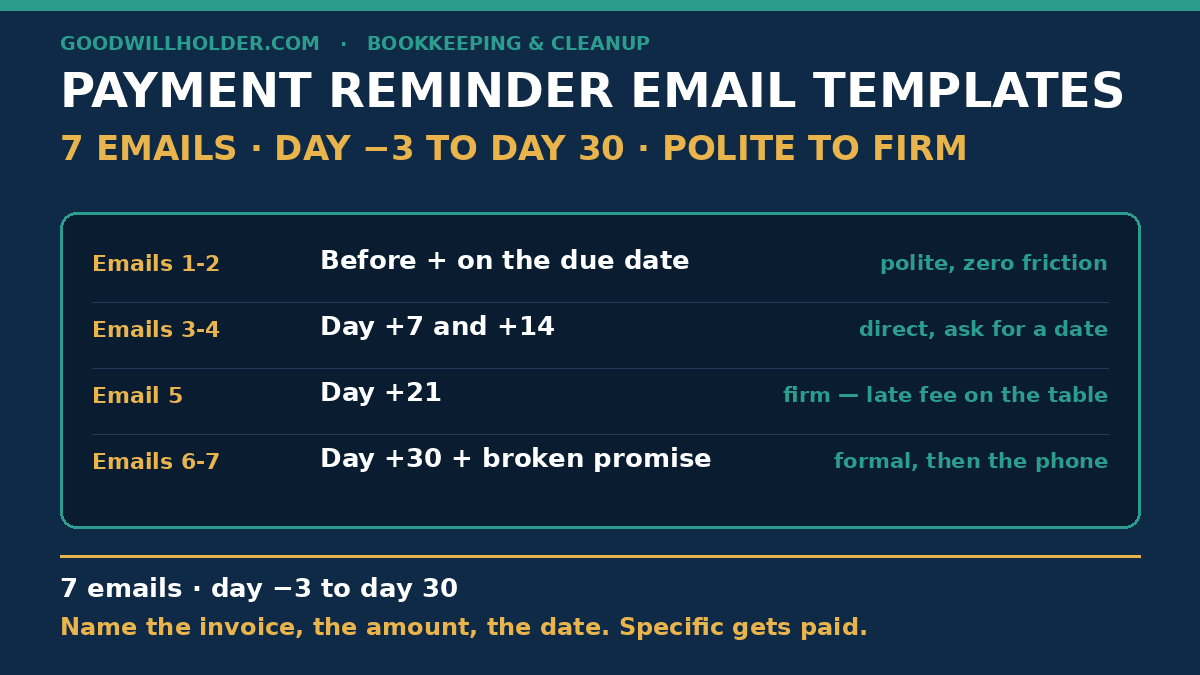
Payment reminder email templates are short scheduled messages that chase an invoice without chasing away the client — from a heads up before the due date to firmer follow ups at fixed gaps after it. Each one names the invoice number, the amount, and one clear way to pay. Seven emails collect most invoices before anyone picks up the phone.
The best payment reminder email templates win for two reasons. First, specific beats polite — “invoice 1042 for the kitchen install, $2,400, due August 12” can be acted on immediately; “just checking in on that balance” gets postponed. Second, a schedule beats memory: the reminders go out because the calendar says so, not because you finally got annoyed enough.
Every template below is ready to copy — and the free tracker below runs the whole ladder for you. Add an invoice with its due date and it works out the date each reminder is due, tells you which one to send today, and flags any client who promised a date and missed it.
Download the payment reminder tracker
One row per invoice. Enter the due date and the workbook calculates days late, the current stage, and the send date for all seven emails — including the broken-promise email, which is dated from the day after a promised date passes. All seven templates are on a separate tab, ready to copy. Works in Excel or Google Sheets. No macros; it does not send email.
The 7-Email Ladder
Copy these into your drafts, fix the brackets, and attach the schedule to the invoice the day you send it. This is the full ladder of payment reminder email templates that bookkeeping and design firms actually run:
Email 1 — Heads-up, 3 days before due
Subject: Invoice [1042] from [Your Business] — due [Aug 12]
Hi [Name], quick heads-up that invoice [1042] for [the kitchen install], totaling [$2,400], is due on [Aug 12]. You can pay securely here: [payment link].
If anything looks wrong or you need a PO number added, tell me and I will sort it today.
Email 2 — Due today
Subject: Payment due today: Invoice [1042]
Hi [Name], a quick note that invoice [1042] for [$2,400] is due today. Pay here: [payment link].
If it is already on its way, please ignore this note — thank you!
Email 3 — 7 days overdue, ask for a date
Subject: Overdue: Invoice [1042] — 7 days past due
Hi [Name], invoice [1042] for [$2,400] was due [Aug 12] and is now a week past due. Could you reply with the date payment will go out?
If something in the invoice is blocking approval, tell me what you need from me.
Email 4 — 14 days overdue, firmer
Subject: Invoice [1042] — 14 days past due, let’s resolve this week
Hi [Name], following up again on invoice [1042] for [$2,400], now 14 days overdue. Let us close this out this week — pay here: [payment link], or reply with a payment date.
If cash is tight, say so and we can agree a short plan.
Email 5 — 21 days overdue, firm, late fee on the table
Subject: Important: Invoice [1042] + late fee notice
Hi [Name], invoice [1042] for [$2,400] is now 21 days past due. Per the terms on the invoice, a late fee applies from day 30. I would rather not add it.
Please arrange payment before [date] — or call me today so we can settle the plan.
Email 6 — 30 days overdue, formal notice
Subject: Final notice: Invoice [1042] payment required
Dear [Name], despite my earlier reminders, invoice [1042] for [$2,400], due [Aug 12], remains unpaid at 30 days. Please pay in full within 7 days: [payment link].
If full payment is not possible, contact me before [date] so we can agree terms in writing. Otherwise the account will move to the next stage of collection.
Email 7 — Broken promise
Subject: Payment date missed — Invoice [1042]
Hi [Name], you mentioned payment would go out on [date], but invoice [1042] for [$2,400] is still showing unpaid. What changed?
Please reply today with a firm date, or pay here: [payment link].
How to Use the Downloaded Tracker
The workbook has three tabs: Start Here, Reminder Tracker, and Email Templates. Every date is calculated from the invoice due date, so you enter a due date once and the schedule builds itself.
- Add one row per invoice on the Reminder Tracker tab: client, invoice number, amount, due date, balance. Days late and the send date for each of the seven emails fill in automatically.
- Read the Current Stage column to see what is due now — Scheduled, Email 1 at day −3, Email 2 on the due date, then the day 7, 14, 21 and 30 steps.
- Log what you sent in the “Sent Through” column, and copy the message from the Email Templates tab. Replace only the bracketed fields.
- Record promised dates. If a client gives a date, enter it in Promised Date. When it passes with a balance still open, the row turns red and the Email 7 due date appears.
Rules Before You Send
Before any of these payment reminder email templates go out, five rules make them work. Keep the seven templates in a drafts folder so sending one takes sixty seconds, not twenty minutes:
- Name three things: invoice number, amount, due date. In the subject if possible.
- One ask per email. Pay, or give a date. Not both, not three options.
- Include the easy out: “did this reach the right person?” Many “late” invoices are routing problems.
- Escalate slowly. Tone moves warm → direct → firm → formal across weeks, not across two angry days.
- Keep the paper. Send from a trackable address, save replies, note every promised date.
Track It in a Sheet
A tracker tells you which payment reminder email templates are due today — though before an invoice can be reminded, the quote behind it has to be findable, which is why a quotation tracker and this reminder ladder work as a pair. Log invoice number, client, amount, due date, reminder dates, and the promised payment date. The workbook above does exactly this — and we built two more free sheets for the surrounding records: an invoice log template in Google Sheets and a pending payments tracker in Excel. Late invoices also distort your monthly profit and loss — the numbers say you earned it, the bank says otherwise.
Quick Checklist
- ☐ Reminder schedule attached to every invoice at creation.
- ☐ Subject lines carry invoice number + amount + due date.
- ☐ Emails 1–2 go out even when you are sure they will pay.
- ☐ Every reply with a promised date gets logged.
- ☐ Day 30 notice is calm, written, and real.
- ☐ Broken-promise email goes out the day after a missed date — no exceptions.
Payment reminder email templates are cash flow with a send button. The ladder above removes the hardest part of getting paid — deciding what to say and when to say it. Fill the brackets once, schedule honestly, and let the system carry the awkwardness. Your clients get clarity; you get paid; the relationship survives both.
Frequently Asked Questions
When should the first payment reminder go out?
Three days before the due date. A heads-up before the invoice is late prevents most lateness, and it is a far easier message to send than an overdue notice. The due-today note follows on the due date itself.
How many reminders are too many?
Seven over roughly five weeks is not excessive because each one is spaced and each carries new information — a due date, a request for a payment date, a late-fee warning, a final notice. Sending several emails in one week is what feels like chasing.
Does the tracker send the reminder emails?
No. It schedules and records them. You copy the message from the Email Templates tab and send it from your own email account. The workbook contains no macros and does not connect to your mailbox.
What do I do when a client promises a date and misses it?
Send the broken-promise email the next day — it is the seventh template. Ask what changed and request a firm date. Then keep logging; the written record is what protects you if the account escalates.
How is this different from a late payment follow-up sequence?
The ladder here starts before the invoice is late — a day −3 heads-up and a due-today note — so it is built to prevent arrears. A late payment follow-up sequence starts after the due date has already passed and focuses on escalating firmness. Many businesses run this ladder first and switch to the follow-up sequence only when day 30 is crossed.
These templates and the tracker are for organising reminders and records. They are not legal or financial advice. Late-fee and collection language must match the terms on your invoice and the rules where you operate — confirm what applies to your business with a qualified adviser before relying on Email 5 or 6.
Two solid references on cadence and tone: this payment reminder timing guide and GoCardless on writing late payment emails.